






Pure fluidity meets ultimate performance: što poslovni softver zaista čini brzim
Voditelj skladišta loš softver ne prepoznaje po nacrtu arhitekture. Prepoznaje ga po tome što zaposlenici opet posežu za telefonom, dvaput evidentiraju otpremnice ili nakon smjene ne mogu reći koja je roba doista stigla. Pure fluidity meets ultimate performance stoga ne smije biti puki vizualni zahtjev. Za poslovni softver to znači da se postupak doima prirodno i istodobno pouzdano funkcionira u stvarnim uvjetima.
…
Voditelj skladišta loš softver ne prepoznaje po nacrtu arhitekture. Prepoznaje ga po tome što zaposlenici opet posežu za telefonom, dvaput evidentiraju otpremnice ili nakon smjene ne mogu reći koja je roba doista stigla. Pure fluidity meets ultimate performance stoga ne smije biti puki vizualni zahtjev. Za poslovni softver to znači da se postupak doima prirodno i istodobno pouzdano funkcionira u stvarnim uvjetima.
Elegantno sučelje bezvrijedno je ako zapinje pri slabom WLAN-u u skladištu. Brza aplikacija također malo pomaže ako nameće slijed rada koji na rampi nitko ne može slijediti. Dobri digitalni alati povezuju oblikovanje, brzinu i razumijevanje procesa. Smanjuju trenje, a da poslovanje ne guraju u unaprijed izrađenu standardnu logiku.
Pure fluidity meets ultimate performance je poslovno pitanje
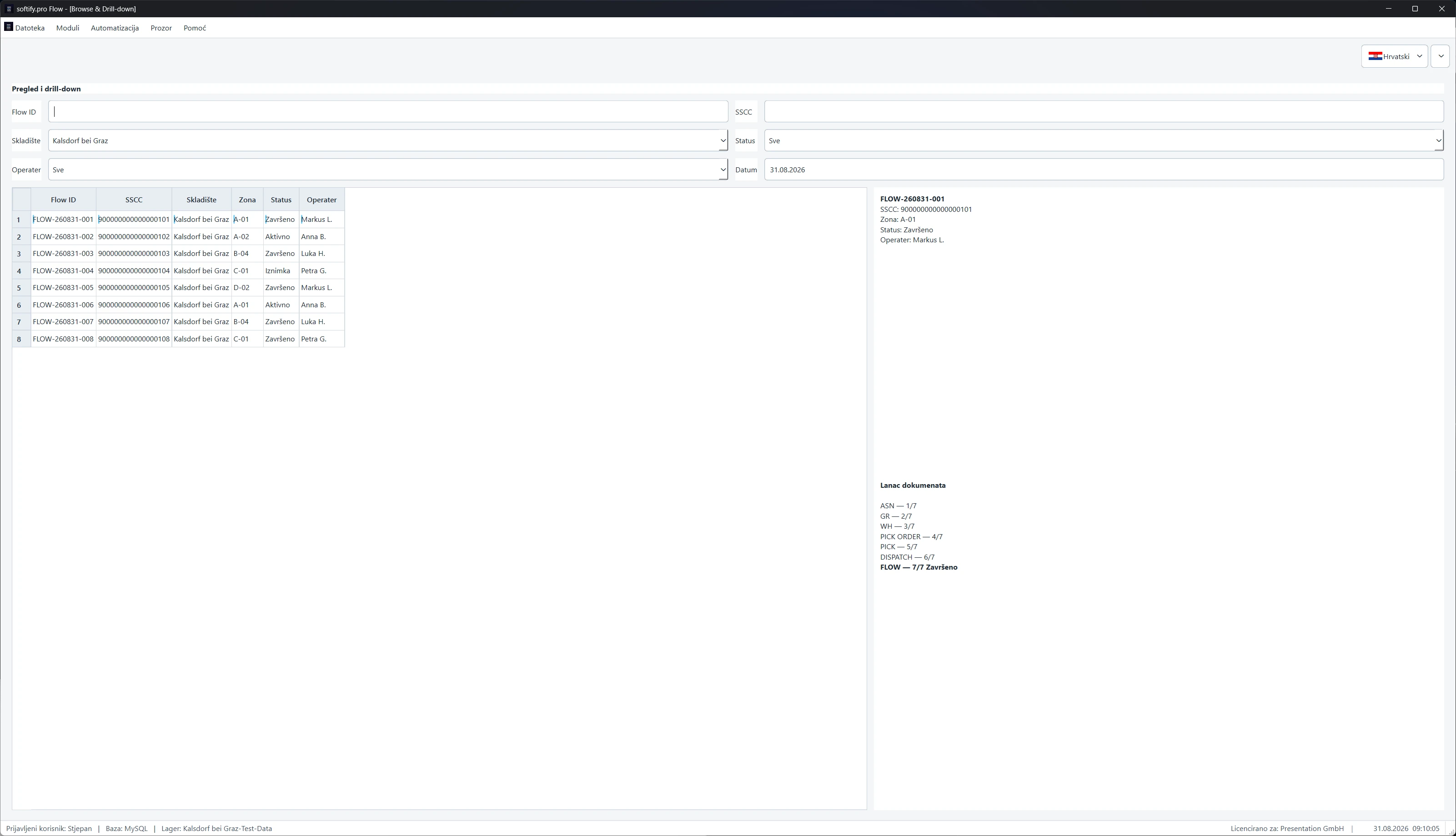
Fluidnost se često miješa s animacijama, velikim slikama i glatkim prijelazima. To može odgovarati modernom brendu. U radnoj svakodnevici se međutim pokazuje drugačije: ulaz robe može se knjižiti bez zaobilaženja. Zaposlenik pronalazi narudžbu i kada je poznat samo referentni broj. Greška se jasno imenuje, umjesto da nestane u kriptičnoj poruci.
Performanse su također više od dobre vrijednosti u testu preglednika. Odlučujuće su vrijeme odziva kod narudžbe s mnogo stavki, stabilnost na kraju mjeseca i pitanje mogu li pet osoba raditi istodobno a da si međusobno ne prepisuju stanja podataka. Tu spada i čisto postupanje s prekidima veze, ovlaštenjima i blokiranim računima.
Oboje je nerazdvojno. Ako maska reagira odmah, ali ima nejasna obvezna polja, ostaje naporna. Ako je tijek pametno modeliran, a stranica pri svakom knjiženju čeka dvije sekunde, zaobilazi se. Fluidnost nastaje ondje gdje sustav podupire sljedeću smislenu radnju i tehnički ostaje dovoljno brz da misao ne prekine.
Sučelje slijedi radni put, a ne organigram
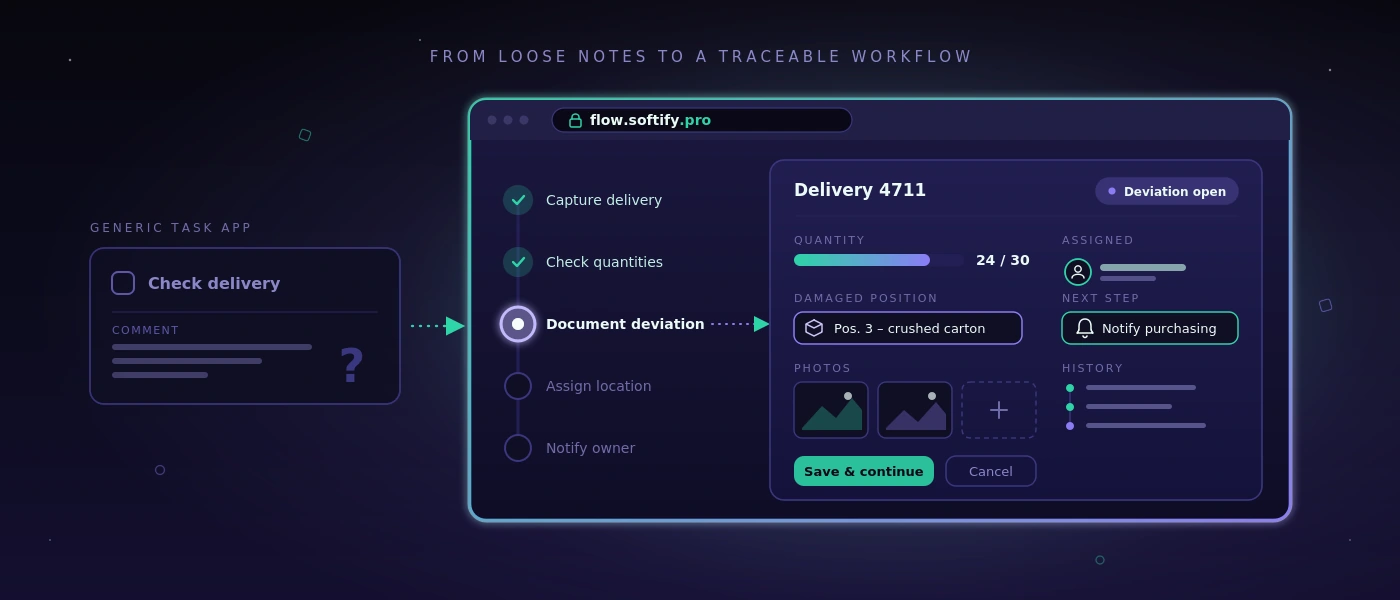
Mnoga standardna rješenja strukturiraju svoje izbornike po modulima: nabava, prodaja, skladište, izvještavanje, administracija. S gledišta proizvoda to je razumljivo. Na podu skladišta rad se međutim često počinje situacijom: kamion stoji, paleta nedostaje, kupac treba dokaz o isporuci ili pošiljku treba još prije zaključenja prijema označiti naljepnicom.
Dobra individualna aplikacija stoga počinje tim situacijama. Koja je informacija dostupna? Tko odlučuje? Što treba dokumentirati? Što se kasnije više ne smije mijenjati? Tek nakon toga odlučuje se koja je maska za unos, provjera ili automatizacija potrebna.
To ne znači svaki postojeći tijek nepromijenjen uliti u softver. Neke su tablice doista presklone greškama, neka odobrenja nepotrebno spora. No Excel popis koji funkcionira ne mora nužno biti zamijenjen projektom. Ako ga održava samo jedna osoba, poznaje malo iznimaka i ostaje sljediv, može biti prikladan alat. Softver se isplati kada poboljšava koordinaciju, smanjuje izvore greške ili pouzdano stavlja informacije na raspolaganje više sudionika.
Manje klikova nije automatski bolje
Zahtjev za što manje klikova zvuči razumno, ali može voditi u pogrešnom smjeru. Kod nepovratnog skladišnog knjiženja kratka je potvrda smislena. Kod odobrenja otpreme vidljiva provjera uvjerljivosti može spriječiti skupo naknadno popravljanje. Pravi tijek ovisi o riziku.
Odlučujuće je da dodatni koraci imaju jasnu svrhu. Potvrda se ne bi trebala pojavljivati samo zato što je framework lako stvara. Treba stajati točno ondje gdje ljudi moraju svjesno donijeti odluku. Tako aplikacija ostaje brza a da ne postane lakomislena.
Performanse nastaju u arhitekturi, a ne u zadnjem sprintu
Tko web stranicu ili web aplikaciju ubrzava tek neposredno prije go-livea, najčešće liječi simptome. Velike upite, nejasne modele podataka i naknadno dodane posebne slučajeve ne može se trajno ispraviti jednim danom optimizacije.
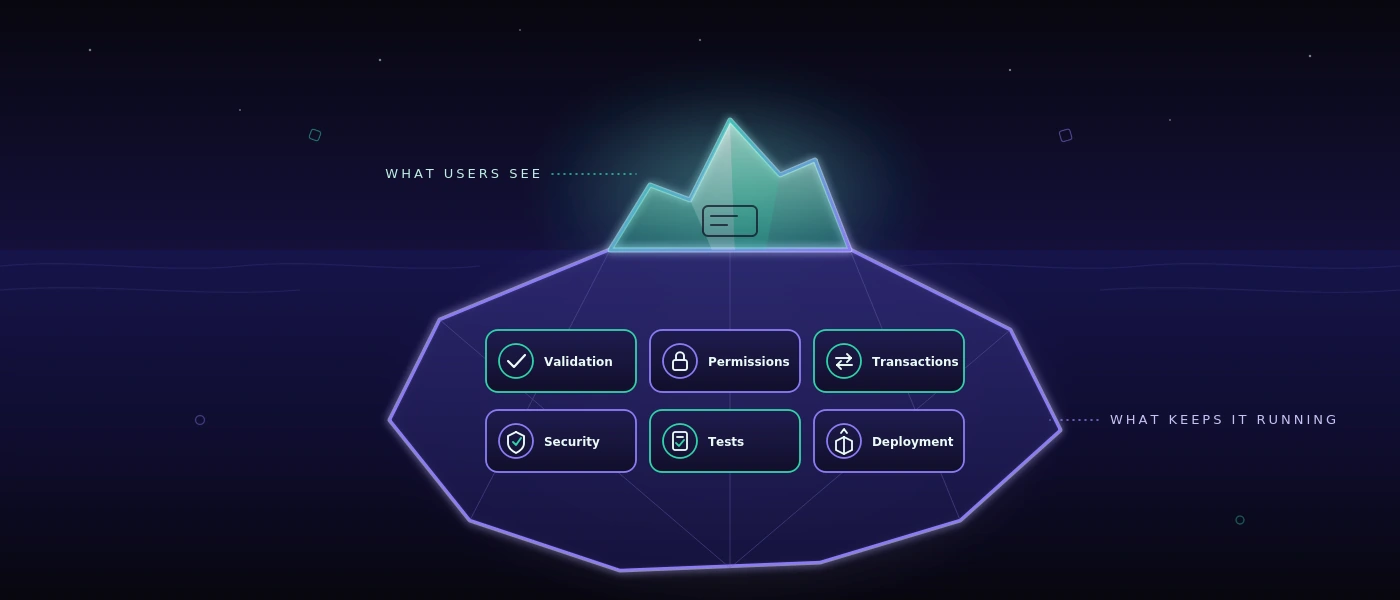
Pouzdana osnova počinje bazom podataka koja odgovara stvarnim odnosima u poslovanju. U MySQL 8 kretanja, dokumenti, promjene statusa i radnje korisnika trebaju sljedive ključeve i smislene indekse. Zaliha se ne smije pojavljivati samo kao broj ako se kasnije mora razjasniti kojim je knjiženjem nastala. Istodobno se ne mora svaka povijesna informacija ponovno izračunavati pri svakom otvaranju stranice.
Kod modernih web aplikacija relevantno je i razdvajanje odgovornosti. PHP 8.4 može poslovna pravila prikazati jasno i održivo, dok se moderni JavaScript ciljano koristi za reaktivna područja. To nije vjeroispovijest za određeni stack. To je pitanje održavanja: mogu li se promjene za šest mjeseci sigurno provesti? Je li vidljivo gdje neko pravilo vrijedi? Može li se greška reproducirati, umjesto da se samo pretpostavlja?
Performanse uz to trebaju granice. Polja za pretraživanje trebaju smislen minimalan broj znakova ili preciznu logiku filtriranja ako su zamislivi milijuni zapisa. Velike liste trebaju stranice ili stupnjevite procese naknadnog učitavanja. Slike i dokumenti ne bi smjeli blokirati kritični radni tijek. Te odluke djeluju nespektakularno. Upravo zato često ostaju vrijedne dulje od upadljivog frontend efekta.
Vidljiva brzina stvara povjerenje
Ne može se svaki proces završiti za manje od sekunde. Ispis naljepnica, sučelje prema dostavnoj službi ili provjera prema vanjskim podacima povremeno traže vrijeme. Odlučujuće je tada kako aplikacija postupa s čekanjem.
Jasan status poput „Otpremna naljepnica se izrađuje“ bolji je od zamrznutog gumba. Nakon završetka trebalo bi biti vidljivo koji je broj stvoren i smije li se postupak ponovno pokrenuti. Ako vanjska usluga nije dostupna, tim treba razumljivu mogućnost postupanja umjesto poruke o grešci za programere.
To je i pitanje integriteta podataka. Dvoklik ne smije stvoriti dvije isporuke. Prekinuti proces ne smije šutke ostaviti napola gotov zapis. Dobri sustavi planiraju takve slučajeve jer će se u svakodnevici dogoditi. Osobito kod promjenjivih smjena, vremenskog pritiska i mobilnih uređaja iznimka nije rubna tema.
Kvaliteta postaje vidljiva prije greške
Za aplikacije s mnogo varijanti procesa nije dovoljno na kraju ručno proći nekoliko putova. Promjene cijena, uloga, validacija ili sučelja mogu izazvati posljedice na vrlo udaljenom mjestu. Ovdje automatizirano testiranje postaje dio performansi: ne samo tehnički, nego organizacijski.
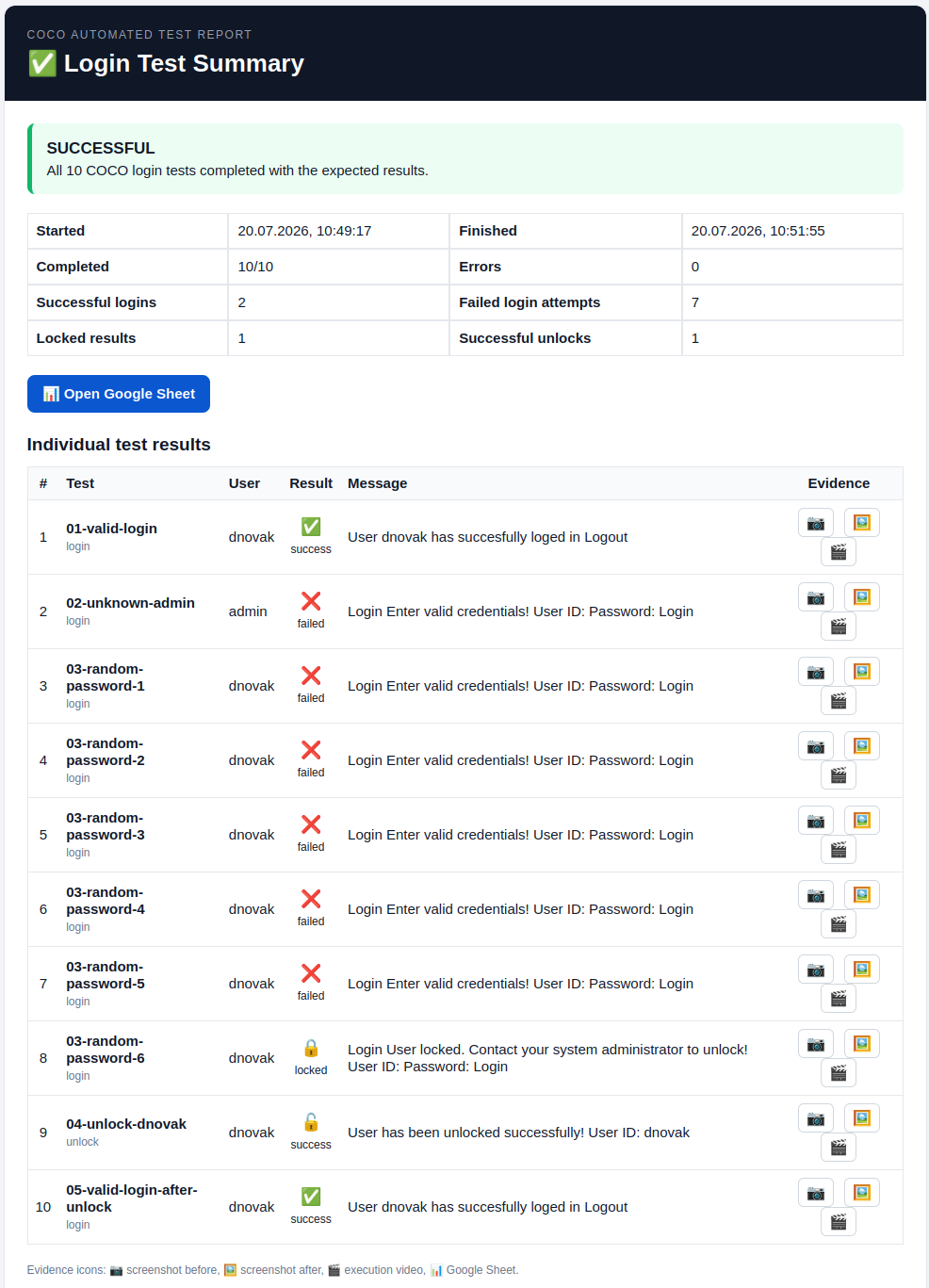
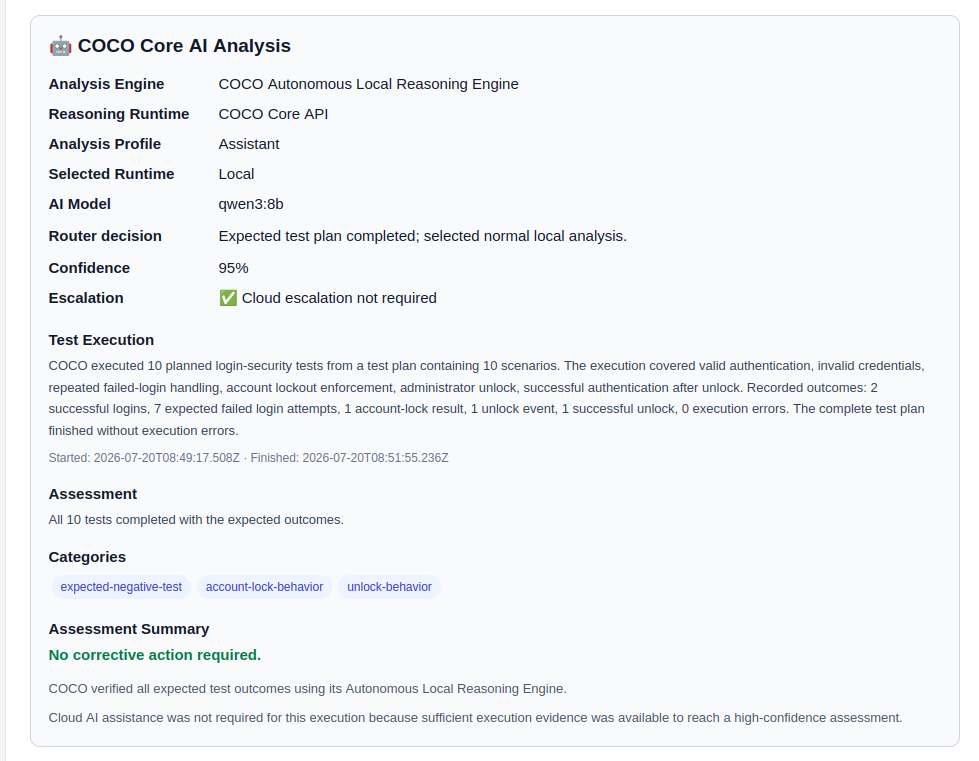
Testni sustav trebao bi moći provjeravati stvarne tijekove, primjerice stvaranje narudžbe, promjenu stavke, izradu otpremnice i kontrolu ovlaštenja. Trebao bi bilježiti dokaze i formulirati rezultate tako da ih stručni odjeli mogu smjestiti. Rečenica poput „Proces otpreme nije dovršen nakon promjene adrese“ pomaže više od nekomentiranog stack tracea.
Za timove osviještene o sigurnosti relevantno je i mjesto na kojem ti testovi teku. Ako snimke zaslona, pristupni podaci, testni slučajevi ili interni koraci aplikacije ne smiju napustiti poduzeće, samostalno hostiran pristup često je smisleniji od vanjske cloud usluge. Uz COCO automatizirani testovi za web i Windows aplikacije mogu se izvoditi na namjenskom okruženju. To nije potrebno svakom timu. Kod osjetljivih podataka, reguliranih područja ili internih stručnih aplikacija kontrola nad testnim podacima ipak može biti odlučujuća prednost.
Oblikovanje je dobro kada olakšava rad
Snažan vizualni identitet može stvoriti povjerenje. Pokazuje da poduzeće ozbiljno shvaća svoju digitalnu prisutnost. U operativnom sustavu oblikovanje međutim mora činiti još više: orijentaciju pod vremenskim pritiskom. Kontrast, tipografija, jasna stanja i razumljive oznake odlučuju hoće li netko postupak sigurno dovršiti ili će pitati kolegu.
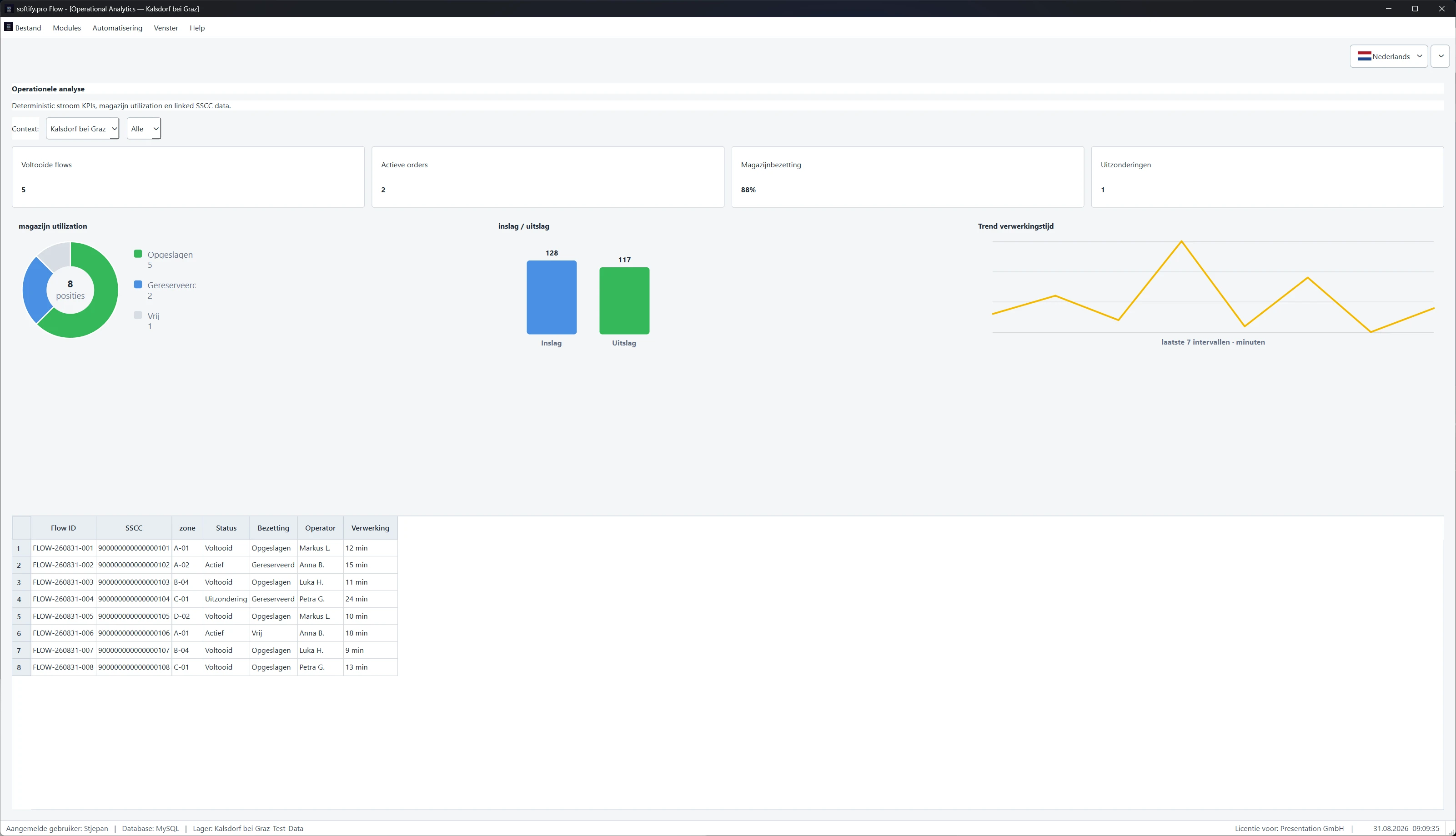
Suzdržanost je tu često bolji izbor. Nadzorna ploča s deset obojenih pokazatelja može izgledati dojmljivo, a ipak sakriti jedino relevantno odstupanje. Reducirani prikaz koji čini vidljivima otvorene ulaze robe, nedostajuća skeniranja i ugrožene rokove isporuke korisniji je. Pitanje ne glasi koliko je sučelja moguće, nego koja informacija poboljšava odluku.
To vrijedi i za responzivne aplikacije. Mobilna sposobnost ne znači stisnuti svaki desktop zaslon u manji format. Pametni telefon na ulazu robe možda treba samo skeniranje, količinu, skladišno mjesto i potvrdu. Opsežna naknadna obrada možda pripada većem zaslonu. Različiti uređaji zaslužuju različite prioritete, iako pristupaju istoj pouzdanoj podatkovnoj osnovi.
Smisleno mjerilo za sljedeću odluku
Prije nego tim odluči o novoj platformi, automatizaciji ili potpunoj novogradnji, pomaže jednostavna provjera: postaje li tijek za ljude koji ga svakodnevno izvode jasniji, brži ili sigurniji? I može li se rješenje još razumjeti kada se promijene zahtjevi, zaposlenici ili sučelja?
Ako su oba odgovora pouzdana, od lijepog obećanja nastaje upotrebljiv sustav. Tada se pure fluidity meets ultimate performance ne pokazuje na slajdu, nego na mirnom radnom danu na kojem narudžbe, podaci i odluke teku dalje bez nepotrebnog trenja.