
Digitally recording incoming goods without inventory chaos
A delivery note lies on the packing table, the pallet is already standing in the aisle, and the driver is waiting for a signature. Exactly at this moment, it is decided whether inventory levels will be correct later or whether the next colleague will be searching for material that, according to the system, should be available. Anyone wanting to digitally record incoming goods therefore needs more than just an input mask. The process must function under time pressure, generate unambiguous data, and fit the actual workflows in the warehouse.
Paper lists and spreadsheets often seem sufficient for a long time. However, they become fragile as soon as multiple people are booking, items have similar designations, batch numbers become relevant, or goods go directly to assembly, order picking, or customer orders. A good digital recording system does not simply create more data. It creates a reliable, shared state of truth.
What should actually be recorded during digital goods receipt
Goods receipt is the transition between delivery and available inventory. To ensure this transition remains verifiable, every entry should at a minimum be able to answer: What was delivered, in what quantity, when, from which supplier, and where was the goods stored? Depending on the business, purchase order numbers, delivery note numbers, batch numbers, serial numbers, best-before dates, or quality statuses are also added.
The crucial distinction lies between ordered and actually accepted goods. An order might show 100 units, but 96 units, two damaged boxes, and two replacement items are delivered. If employees simply confirm the order, an error goes straight into the inventory. Digital recording must make handling discrepancies straightforward—not penalize them with workaround processes.
For a spare parts warehouse, item, quantity, storage location, and document reference are often sufficient. In manufacturing, batch approvals or inspection logs can be indispensable. More fields are not automatically better. Every mandatory field costs time and increases the likelihood that someone will estimate values or add them later.
Digitally recording incoming goods: The workflow on the warehouse floor
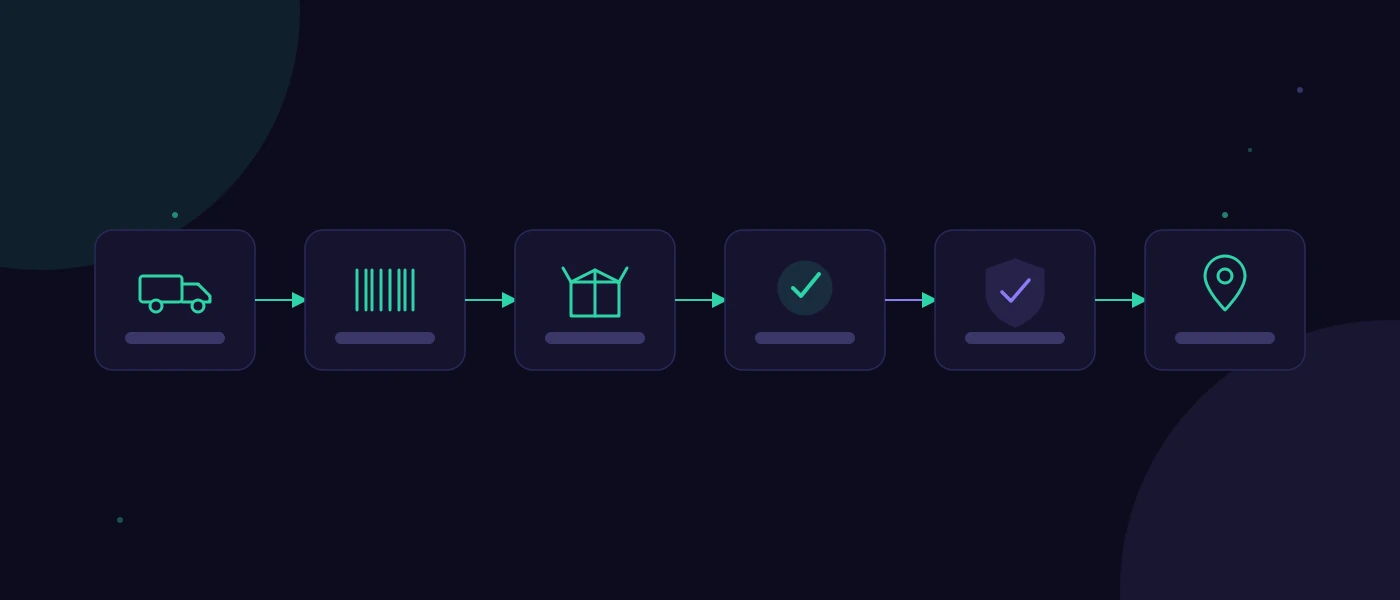
A practical workflow does not start at an office computer, but rather where the goods arrive. Employees open the expected goods receipt on a mobile device or first record the delivery note via search, order number, or barcode. Afterwards, items are scanned, counted, or weighed and reconciled with the expected delivery.
If the quantity is correct, the goods are assigned to a storage location and booked. In the event of discrepancies, a comment is not simply written into a free-text field. The system records whether it is a shortage, overdelivery, transport damage, incorrect item, or an unverified position. A photo can be useful for visible damage, but is not necessary for every delivery.
After booking, the status of the goods should be clear. Some items are immediately available. Others remain blocked until a quality inspection is completed or a manager has resolved the discrepancy. This status logic prevents sales from promising goods that have physically arrived but are not yet usable.
The right point of recording depends on the operation. In a small warehouse, goods receipt can be completely booked directly at the gate. For large deliveries or tight ramp times, a two-step booking process is often better: first, the delivery is registered as arrived, and subsequently, items are inspected and put away. The advantage is speed at the ramp. The disadvantage: it requires clear responsibilities so that pending inspections do not get left behind.
Scanner, tablet, or workstation PC?
The hardware should follow the workflow movement. For items with cleanly printed barcodes, a handheld scanner is usually the fastest and least error-prone choice. Mobile scanners or smartphones with cameras are suitable when employees are moving between the goods receiving area, shelves, and restricted-access zones. A tablet can make sense for more complex bookings involving photos, multiple quantities, or inspection notes.
A fixed PC workstation, on the other hand, works well when one person centrally checks delivery notes and goods receiving is spatially concentrated. It is less appropriate if the team has to run to the office for every transaction. The license costs saved are then often paid for by walking distances, interruptions, and delayed bookings.
Not every item needs a barcode. Especially with custom components, raw materials, or supplier labels, labeling is inconsistent. In such cases, the system should offer a fast search via item number, supplier item number, or purchase order position. Barcode scanning is a great tool, but not an end in itself.
Data quality comes from rules, not from appeals
Inventory accuracy does not happen simply because software is installed. Accuracy is achieved when the system enforces sensible rules and makes exceptions visible. A negative quantity without a justified process, an unknown storage location, or a reused delivery note number should not pass by unnoticed.
At the same time, the inspection must not block operations. If a supplier reuses delivery note numbers or labels are illegible, employees need a traceable alternative path. For example, a booking can be made with a note that must be checked later. The important thing is that this turns into an open task rather than an invisible compromise.
Simple plausibility checks are particularly valuable: Does the item match the order? Does the quantity deviate beyond a defined tolerance? Is the batch number present for items requiring batches? Was a block status set when a damage report was recorded? Such rules reduce rework without overwhelming the team with complicated input screens.
Build interfaces only when the core process is established
Many companies immediately want a connection to ERP, purchasing, shipping, and accounting. That can be right, but only if data sovereignty is clearly defined. A system should unambiguously establish where orders originate, where the master inventory is located, and which data is transferred in which direction.
A poor interface multiplies errors faster than a spreadsheet. For example, if orders come from the ERP, but the actual goods receipt is created in the warehouse management system, it must be clear which statuses are reported back: fully delivered, partially delivered, blocked, or with deviations. Timestamps and unique document references are more important here than a visually impressive integration.
For smaller operations, a controlled CSV import can make more sense to start with than an expensive real-time connection. This is not a temporary workaround if the import, inspection, and error log are cleanly implemented. As soon as volumes, frequency, or downstream processes grow, a direct interface becomes more economical.
A meaningful rollout starts with real deliveries
Before development or standard software is selected, a brief process analysis with real cases is worthwhile. Not only the ideal delivery belongs on the table, but also damaged goods, partial quantities, incorrect items, missing orders, and urgent material for the workshop. This reveals what data and decisions are actually needed.
For the start, a clearly defined area is often sufficient—such as one supplier, one product group, or one warehouse location. The team works with the new workflow parallel to previous checks until the transactions are demonstrably correct. Only then does the expansion follow. A 'big bang' saves time on the project plan, but frequently creates chaos on the floor.
Important acceptance criteria are concrete and measurable:
- A standard delivery can be booked within a few minutes without questions.
- Discrepancies appear in an open, assigned clarification list.
- The inventory of an item can be explained with a document and storage location.
- Authorized employees can carry out corrections in a traceable manner.
- Open or blocked goods are not allocated by mistake.
A system tailored to the operation can achieve more here than an overloaded suite if it respects existing working methods.
softify.pro develops such logistics processes not for the sake of digitalization, but around bookings, responsibilities, and data that must be robust in everyday operations.
Key figures that make the benefits visible
After launch, the metric to track should not just be how many goods receipts were digitally booked. More meaningful are the time between delivery and available goods, the number of unresolved discrepancies, inventory variances during stock-taking, and the effort spent on inquiries in purchasing or sales.
If throughput time decreases but the number of subsequent corrections increases, the process is likely too fast and insufficiently verifiable. If every transaction takes a long time despite hardly any discrepancies occurring, there may be too many mandatory steps built in. Good warehouse processes do not seek maximum control, but rather appropriate control.
The best next step is often a walkthrough of the goods receiving area with three real delivery notes. Observe what information is being searched for, where employees improvise decisions, and which data is entered again later. Exactly there begins a digital goods receipt that not only looks more modern, but actually makes inventory credible.