
Route planning for delivery trips: Choosing the right software
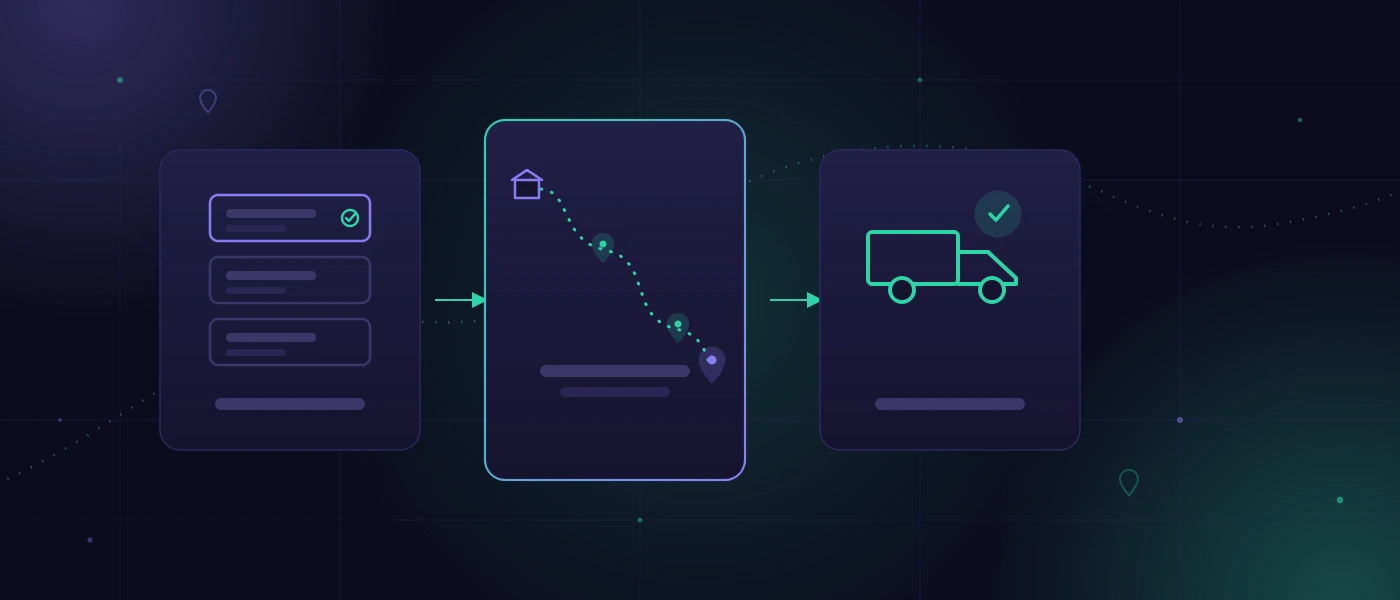
A driver is waiting for a delivery note while the sequence of their stops is changing yet again. In the warehouse, a shipment has not yet been picked, a customer is calling about a tighter time window, and the tour list is sitting in a spreadsheet that only one person truly understands. Anyone searching for "route planning for delivery trips software" in this situation is not necessarily looking for a complicated map algorithm. What they are looking for is a reliable workflow from order entry to proof of delivery.
For small and medium-sized enterprises, this is a decisive difference. A theoretically shorter route is of little use if it fails to account for the fact that goods are not ready until 10 AM, a vehicle requires refrigeration, or a driver possesses specific customer knowledge on a particular tour. Good software for delivery trips reflects the reality of operations—making it jointly usable for dispatch, the warehouse, and the drivers.
When route planning becomes an operational problem
Many businesses make a sensible start using telephone calls, paper, and a spreadsheet. With five stops per day and a fixed team of drivers, this is often the fastest solution. It is only when order volume, variants, and time pressure increase that typical friction losses occur: doubly entered addresses, outdated tour statuses, missing information regarding load carriers, and inquiries that can only be answered by calling multiple people.
The problem then is not just the driving distance. It is the information gap between order intake, the warehouse, dispatch, and delivery. If an order is postponed, this change currently often has to be tracked across multiple lists, on a printout, and inside the driver's head. This costs time and creates errors that customers see immediately.
Another warning sign is decisions that depend on individual employees. If only the experienced dispatcher knows which driveway is suitable for a specific customer or how tour 3 should be adjusted in the event of a late goods receipt, the workflow is not robustly documented. Software should not replace this knowledge. It should map it in such a way that the team remains capable of acting.
What route planning software for delivery trips must be able to do
The core function sounds simple: orders are assigned to a tour, stops are sorted sensibly, and handed over to drivers. For practical utility, however, the system requires significantly more context. The decisive factors are which rules apply during planning and how changes are handled.
Orders must be plannable rather than merely visible
A delivery address on a map does not yet constitute a plannable delivery. An order requires at least quantities, weight or volume, delivery date, desired time window, contact information, and a clear processing status. Depending on the business, load carriers, temperature requirements, hazardous goods markings, notification rules, or a specific vehicle class may also be added.
This data should not have to be manually gathered from various systems every time. If orders already originate from an online shop, ERP, order entry mask, or an existing database, a clean handover is often more valuable than a particularly spectacular map view. Otherwise, the work merely shifts from paper to a new user interface.
Tours need rules, not just distance
An automatic sequence based on kilometers or driving time can be a good suggestion. However, it is not a decision for the business. Planning must be able to account for constraints: fixed delivery dates, vehicle capacity, working hours, loading and unloading times, as well as regional responsibilities.
Starting logic also matters. Some vehicles begin and end at the warehouse, while others drive directly to their next operational location after the last delivery. For recurring tours, a fixed basic structure can be useful, which dispatchers only modify when necessary. Anyone driving the exact same stops every morning does not necessarily require a complete re-optimization. Here, a stable, traceable tour is often better than a mathematically minimal time saving.
Changes must reach the driver in a controlled manner
Reality rarely adheres to the morning plan. Customers cancel, goods are missing, a vehicle breaks down, or an order becomes urgent. In such cases, it is decided whether the software provides relief or creates additional work.
A usable solution clearly shows which tour version is currently valid, which stops have already been completed, and what specifically has been changed. The driver should not have to compare contradictory printouts, screenshots, and messenger messages. For many teams, a mobile, browser-based driver view featuring stop sequence, contact data, delivery notes, and status feedback is initially sufficient. A dedicated app is not automatically better if installation, device management, and offline requirements provide no clear benefit.
Do not start with route optimization alone
The most common flawed approach is to purchase an optimization service first and only check whether master data and workflows are correct afterward. Incorrectly spelled addresses, unclear delivery windows, and orders without a reliable provisioning status cannot be optimized away.
A short stocktaking along the real daily routine is more sensible. Where do orders originate? When does the warehouse confirm availability? Who plans tours? How does the driver receive changes? And what proof is required after delivery? These questions may seem banal, but they determine which data fields, roles, and interfaces the system actually needs.
It often turns out that not every step should be digitized. A handwritten note for a rare special delivery can be appropriate if it is later cleanly transferred into the order. A spreadsheet may also remain if it reliably delivers a manageable evaluation. Software should solve the bottleneck, rather than forcibly replacing every known workflow.
Build, Buy, or targeted extension?
Standard software is appropriate when tour logic is general, processes rarely vary, and the team can adapt to given masks. It shortens implementation and can be sufficient for a simple vehicle fleet. The disadvantage becomes apparent as soon as it maps central special cases only via secondary lists, free text, or expensive add-on modules.
A custom solution is not worthwhile because custom development is inherently superior. It is worthwhile when the workflow itself is a competitive advantage or a persistent source of errors: for example, with special packaging units, combined pickup and delivery tours, proprietary delivery documents, or a tight integration of goods receipt, picking, and dispatch.
The most pragmatic path often lies in between. Existing systems remain in place for accounting or warehouse management, while a lean application bundles orders, plans tours, and covers the driver workflow. This requires clear interfaces, unambiguous data responsibilities, and a database structure that stores changes traceably. Modern web applications built on a maintainable foundation such as PHP 8.4 and MySQL 8 are not a fad decision for this, but rather a foundation for predictable operations and future adjustments.
Implementation in small steps instead of a major overhaul
Route planning software should first be tested on a manageable tour or vehicle group. Not because a pilot project is risk-free, but because real exceptions show up early: missing delivery instructions, inconsistent address data, waiting times at the customer, or unclear handovers in the warehouse.
For the initial expansion stage, clearly defined functions are usually sufficient: take over the order, view provisioning status, assemble tour, approve tour, and report back delivery. Automatic optimization, electronic signatures, photo proof, customer notifications, or detailed key metrics only become sensible once this chain functions reliably in everyday operations.
The benefit is measured not only by saved kilometers. Reduced dispatch effort, fewer inquiries, fewer misdeliveries, shorter times to the delivery note, and better responsiveness toward customers are equally relevant. These metrics should be roughly captured before launch. Otherwise, the only impression left after implementation is that the user interface looks more modern.
The technology must remain reliable in the background
Route planning processes sensitive operational data: customer addresses, driver assignments, delivery quantities, and frequently proof of delivery. Therefore, role permissions, traceable modifications, regular backups, and documented operations are part of the solution. Who is permitted to approve, modify, or delete a tour should not be left to chance.
Map and routing data also deserve a sober examination. External services can fit very well, but they bring ongoing costs, availability considerations, and data privacy questions. When high data retention requirements or special regional logistics are involved, it must be clarified early which data leaves the company's own system and how outages are cushioned. A perfect route is worthless if dispatch cannot continue working during a disruption.
softify.pro plans such systems from actual order intake all the way to feedback from the vehicle. The benchmark here is not the longest feature list, but a workflow that the warehouse, dispatch, and drivers can operate reliably under time pressure.
The best route planning looks surprisingly unspectacular in everyday operations: orders are complete, tours are understandable, changes are unambiguous, and deliveries are verifiable. Exactly this unexciting reliability creates space for the exceptions where humans must decide.